How Independent Artists Can Connect Stripe, Meta Pixel, and More on EVEN
A guide to connecting Stripe, Meta Pixel, Google Analytics, TikTok Pixel, and X Pixel to your EVEN Backstage artist account.
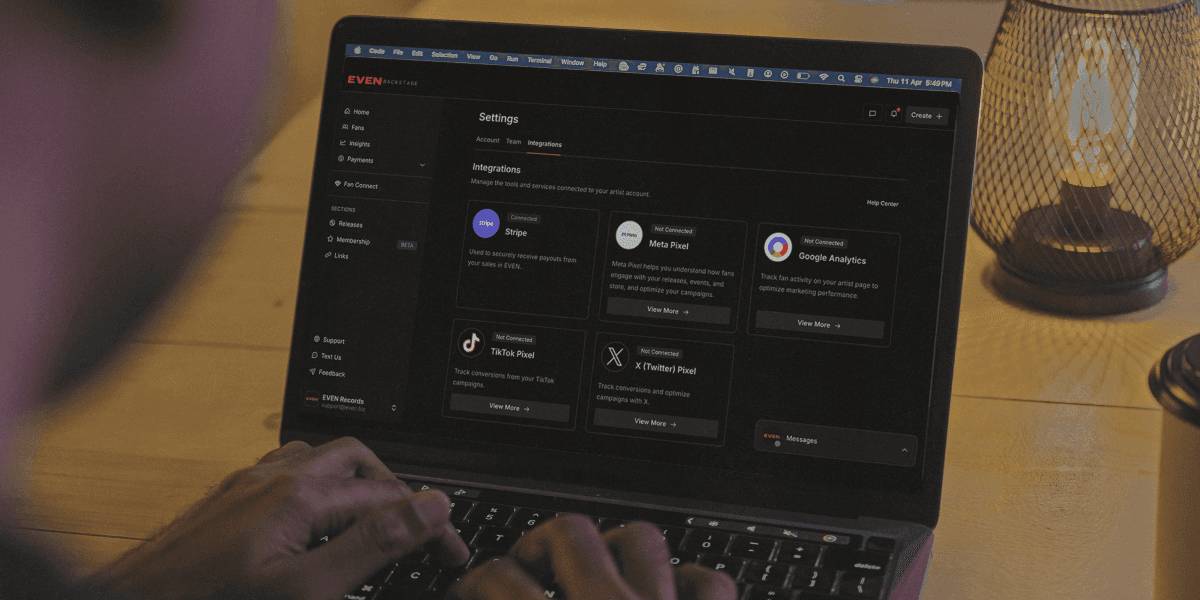
Overview
EVEN Backstage supports integrations with third-party tools that help you receive payments, track fan activity, and optimize your marketing campaigns. All integrations are managed from your Settings page under the Integrations tab.
This article covers what each integration does, where to find the Integrations page, and how to connect each tool.
Where to Find Integrations
To access the Integrations tab:
Log in to EVEN Backstage.
In the bottom-left corner of the sidebar, click your name or email address.
A menu will appear. Click Settings.
At the top of the Settings page, click the Integrations tab.
Available Integrations
Integration | Category | What it does |
|---|---|---|
Stripe | Payments | Used to securely receive payouts from your sales in EVEN. Required to get paid. |
Meta Pixel | Marketing | Helps you understand how fans engage with your releases, events, and store. Used to optimize ad campaigns on Facebook and Instagram. |
Google Analytics | Analytics | Tracks fan activity on your artist page to help you optimize marketing performance. |
TikTok Pixel | Marketing | Tracks conversions from your TikTok ad campaigns. |
X (Twitter) Pixel | Marketing | Tracks conversions and helps optimize campaigns running on X (formerly Twitter). |
Stripe
Stripe is EVEN's payment processor. It is required to receive payouts from fan purchases, memberships, and any other sales made through your EVEN artist account.
How to Connect Stripe
On the Integrations page, locate the Stripe card.
Click Connect Stripe.
You will be redirected to Stripe's onboarding flow. Follow the steps to create or link an existing Stripe account.
Once complete, you will be returned to EVEN and the Stripe card will show as Connected.
Note: Artists in certain regions (including Ghana and Nigeria) may be subject to Stripe availability limitations. If you encounter issues during Stripe setup, contact EVEN Support.
Pixel Integrations (Meta, Google Analytics, TikTok, X)
Pixel integrations allow you to connect your EVEN artist account with your advertising accounts on Meta, Google, TikTok, and X. Once connected, you can track how fans interact with your pages and measure the effectiveness of your ad campaigns.
What You Will Need Before Connecting
An active advertising account on the relevant platform (Meta Ads Manager, Google Analytics, TikTok Ads Manager, or X Ads).
Your Pixel ID or Measurement ID from that platform.
Admin access to your EVEN artist account.
How to Connect a Pixel Integration
On the Integrations page, find the integration you want to connect (Meta Pixel, Google Analytics, TikTok Pixel, or X Pixel).
Click View More to see setup instructions specific to that integration.
Follow the prompts to enter your Pixel ID or connect your account.
Save your settings. The integration card will update to reflect the connected status.
Note: Pixel integrations are optional but recommended if you are running paid ads. They are not required to sell on EVEN.
Understanding Integration Status
Each integration card displays one of the following statuses:
Not Connected — The integration has not been set up. Click the button on the card to begin.
Connected — The integration is active and sending or receiving data.
Note: If a previously connected integration shows as Not Connected, it may have been disconnected due to an expired token or account change. Reconnect using the same steps above.
Need Help?
If you run into issues connecting an integration or have questions about which integrations are right for your setup, reach out to the EVEN Support team from the left sidebar or email support@even.biz.
Search articles…