How To Find Release Marketing Assets: Download Pre-Order and Campaign Posters
Find and download ready-to-use marketing assets for your releases, including pre-order and campaign posters.
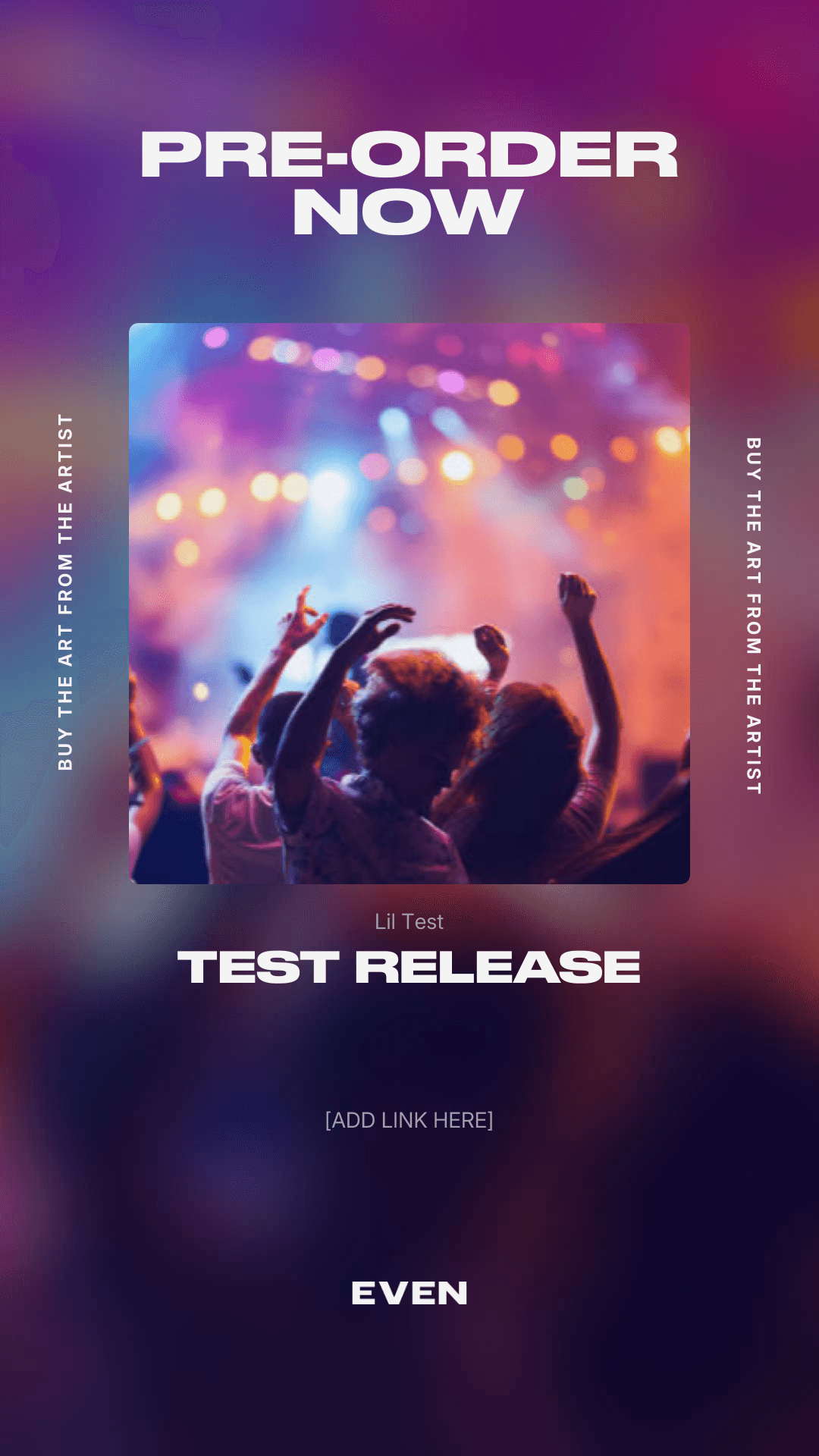
Finding Your Marketing Assets
EVEN automatically generates marketing assets for your releases to help you promote across social media and beyond. Here's how to find and use them.
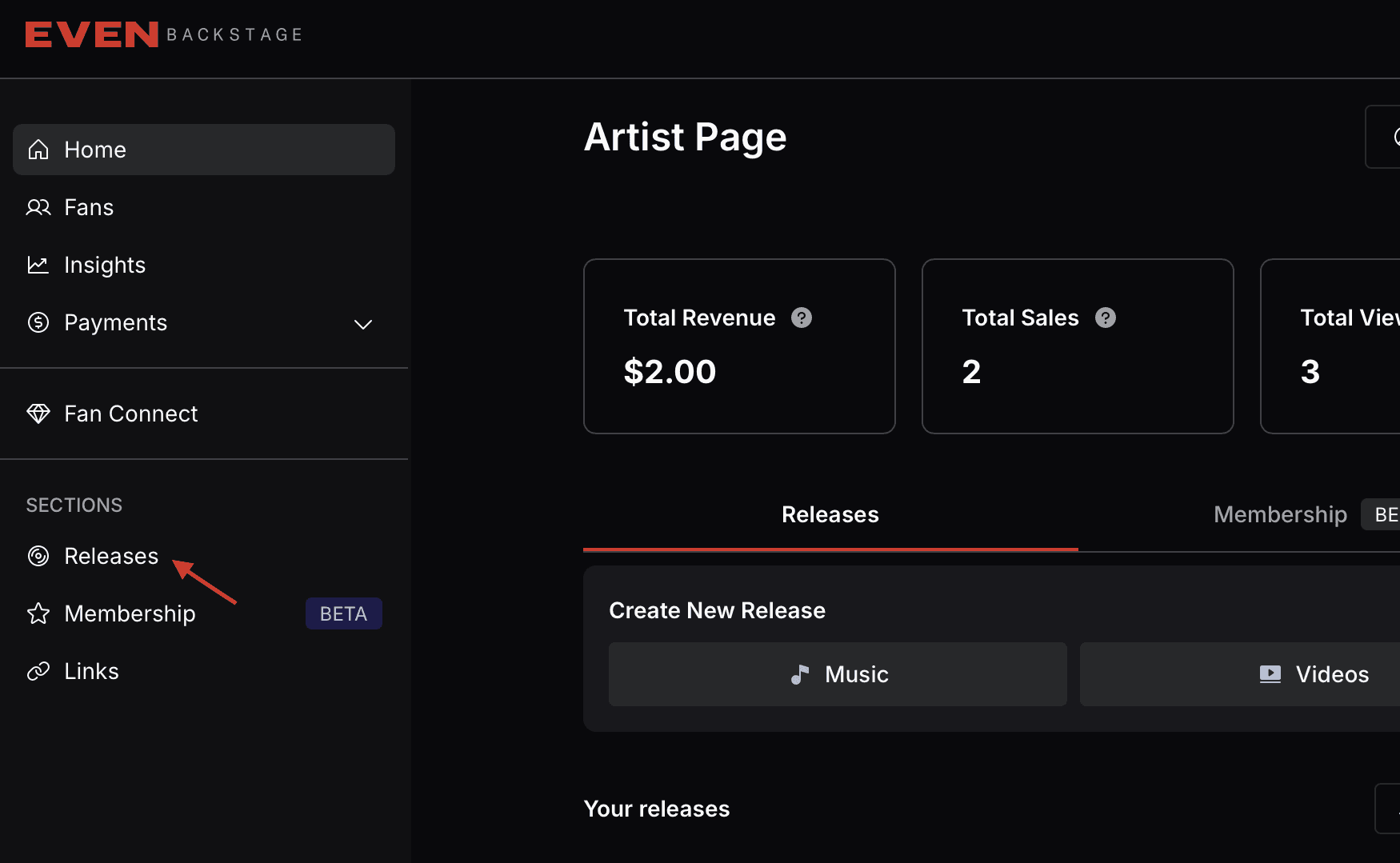
Step 1: Go to Your Releases
From the Artist Page, navigate to Releases in the left sidebar under SECTIONS.
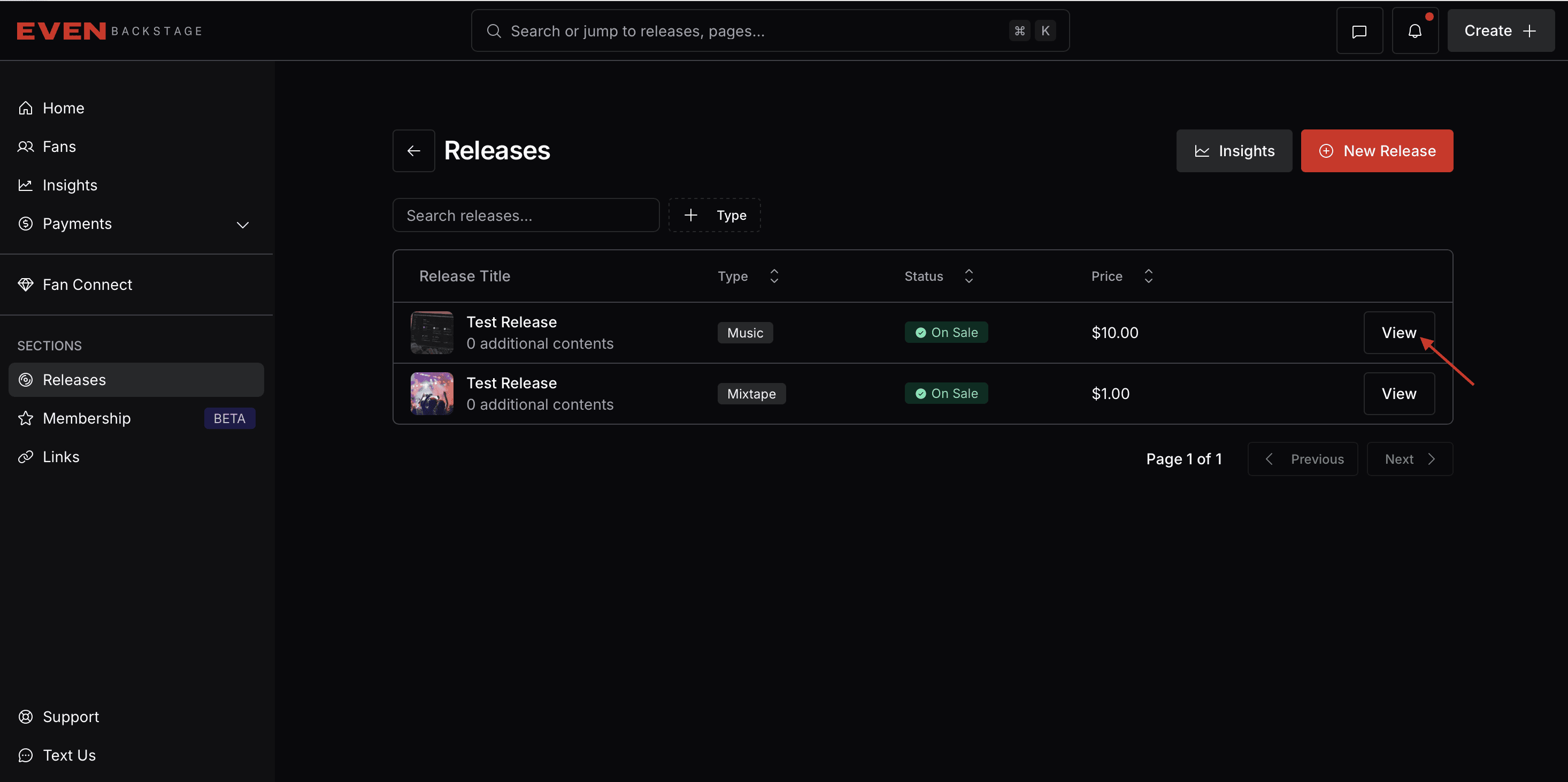
Step 2: Select Your Release
Click the View button next to the release you want to promote.
Step 3: Open Marketing Assets
On the release detail page, you'll see 3 dots on the right side and on the menu you’ll find “Marketing Assets”. Click the link to access them.
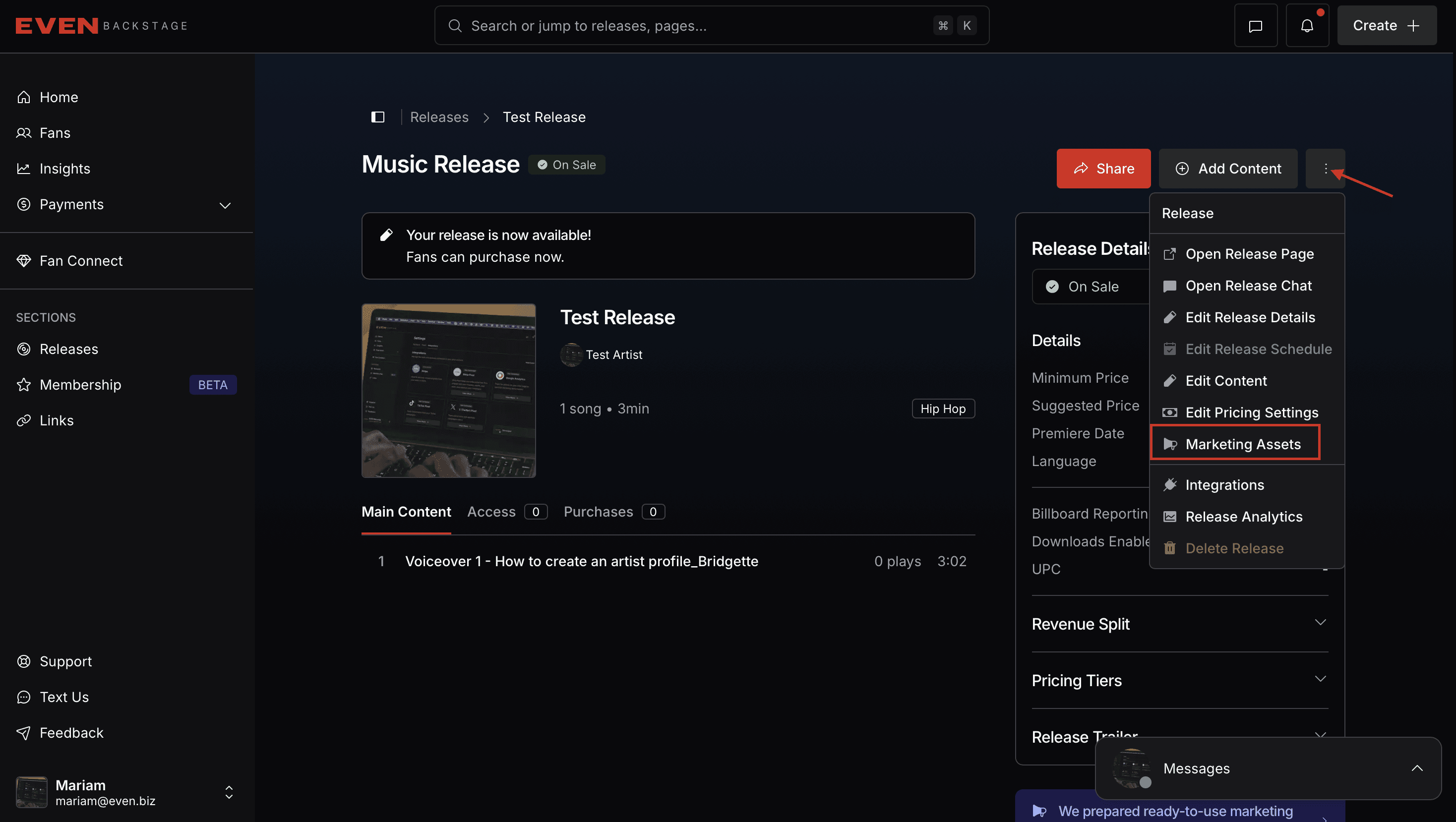
Alternatively, scroll down on the release page and look for the Marketing Assets section.
Step 4: Browse Your Assets
You'll see asset categories for different campaign stages:
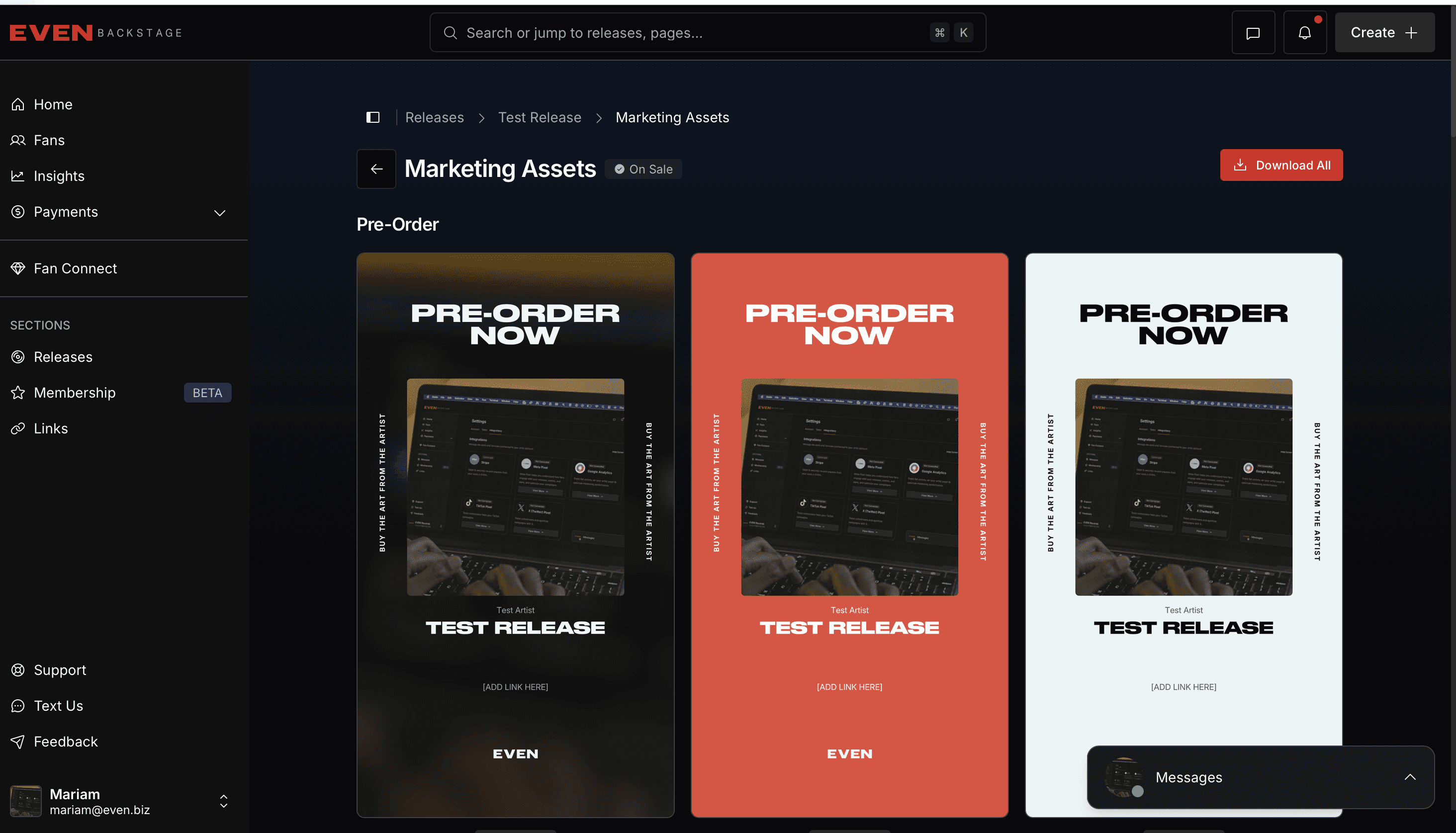
Pre-Order – Assets for promoting your upcoming release before launch
It's Out – Assets for launch day and post-release promotion
Each category includes multiple design variations (different colors and layouts) to match your brand.
Step 5: Share or Download
For each asset, you can:
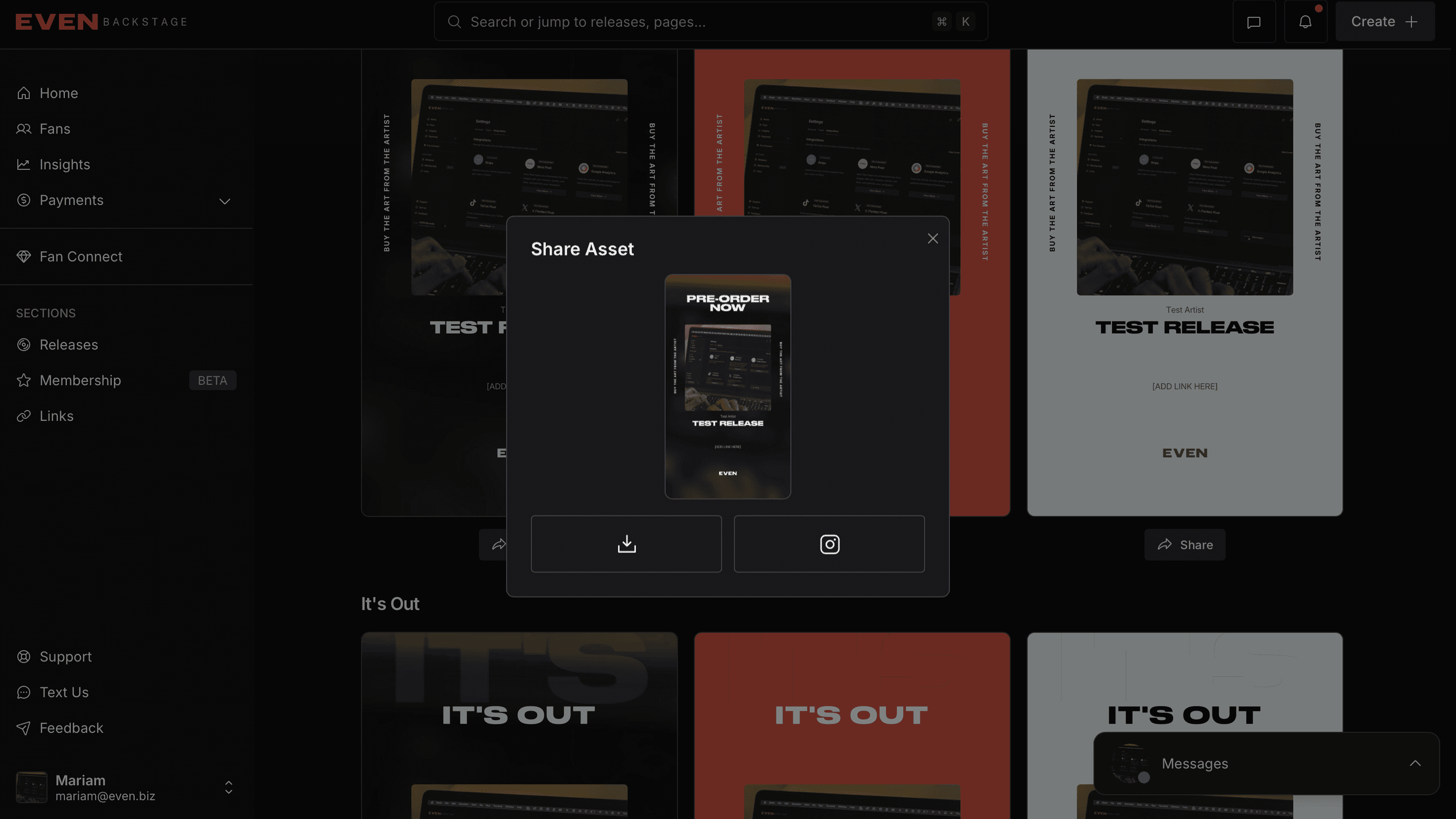
Download – Click the download icon to save the image file to your device
Share to Instagram – Click the Instagram icon to quickly share to your Instagram story or feed
A Share Asset modal will open with your options.
Tips
Use different asset variations to keep your promotional content fresh across channels
These assets are optimized for social media sharing
You can download and use them as many times as you need
Search articles…